 LucidWatch AI
Agentic physical security
The AI decision layer for the security operations centre
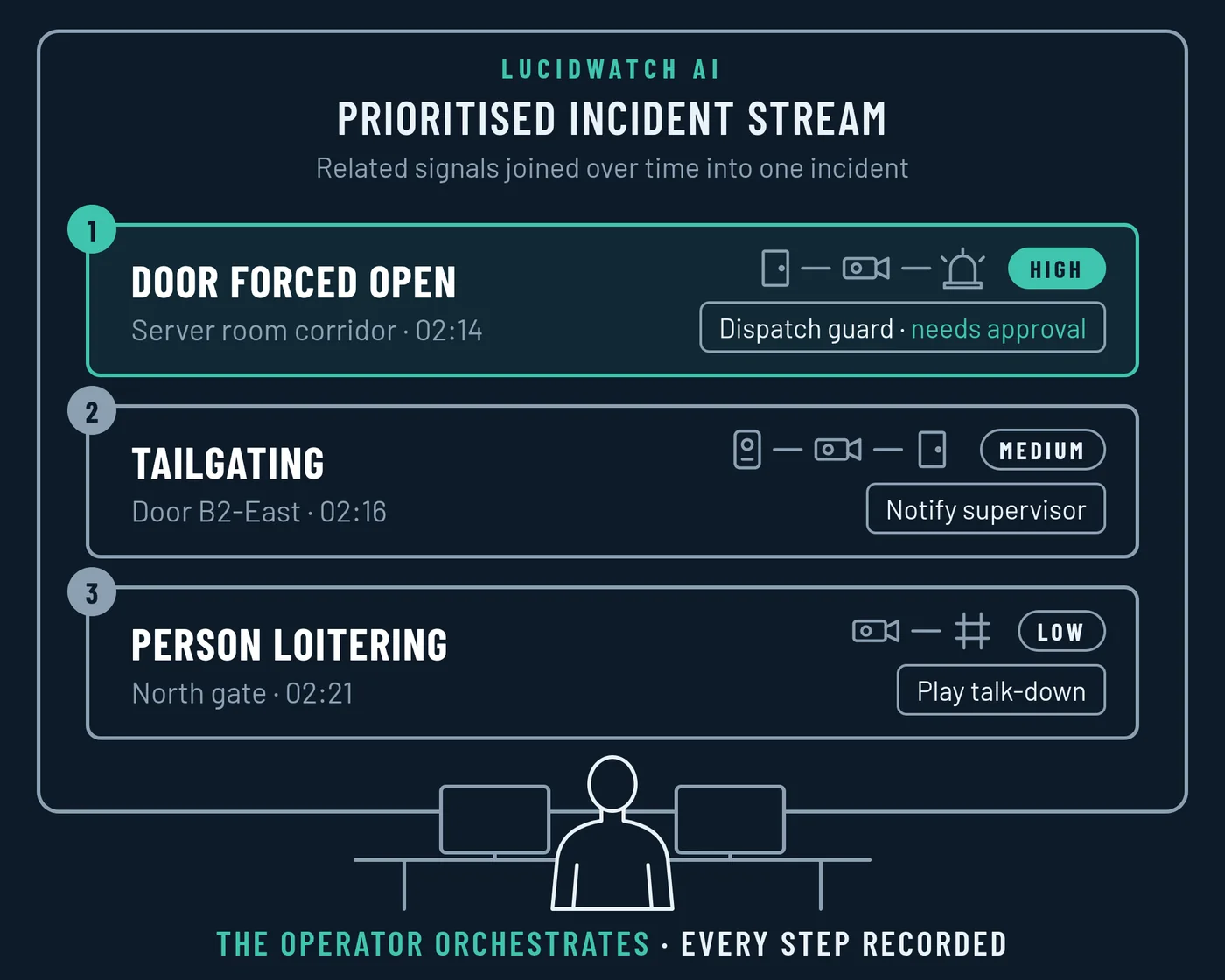
LucidWatch joins the signals from your cameras, doors and alarms into one incident and keeps a record of every step. LucidWatch proposes the response; people approve actions that change the building.

The problem
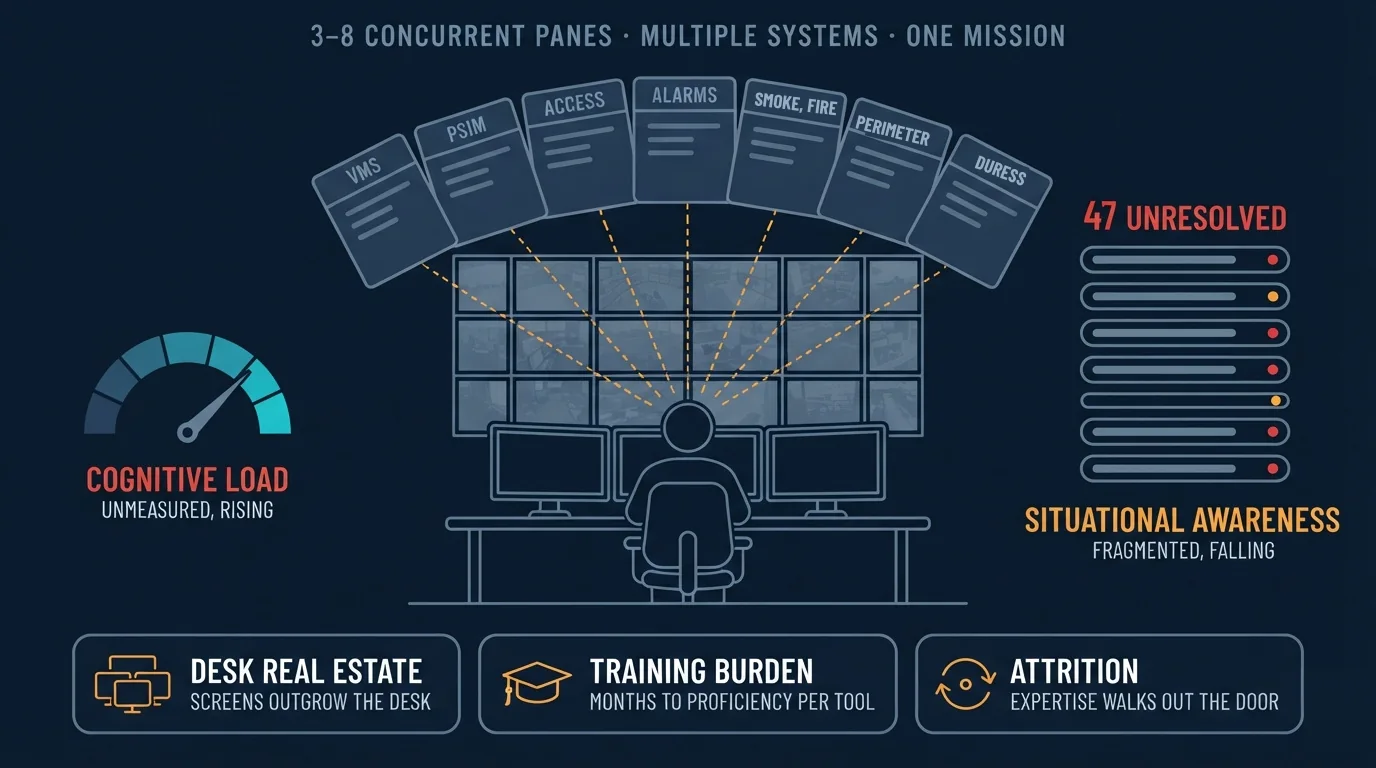
Operators piece the picture together manually
Video, door events and alarms arrive on separate screens from separate systems. A person matches them up in their head.
Overload
One operator watches 3 to 8 panes from separate systems at once. Every tool competes for attention.
False alarm flood
Single-sensor alerts arrive with nothing to back them up. Real events get lost in the noise.
Broken picture
The badge event, the camera view and the alarm never meet on one screen.
Cost of people
Each tool takes months to learn. When an operator leaves, their knowledge leaves too.
How it works
One decision layer on the systems you already own
LucidWatch connects to the systems already on site. No replacement needed.
In: what you own
Out: through your systems
The product
One product for the whole team
Operators, investigators, security managers and administrators work from the same record.
Monitor
Two questions, one screen
What needs a decision now, and what is still open. An incident closes when a person decides. A condition, such as a door nobody secured, stays open until a camera or a guard confirms it is cleared.
- One incident, not three alarms. The response is one click.
- The video wall follows the work. Each camera tile says why it is on screen.
- Faces stay blurred. An operator must give a reason to view a face, and the blur returns automatically after a short period.
Investigate
From question to evidence
Ask in a conversation. Each question builds on the one before it, and every answer says what it matched and what it searched.
- Search every camera at once, by clothing and build. Never by face.
- Follow a person across cameras, in time order, on the floor plan.
- Seal the case when it is ready. If anything changes afterwards, the record shows that it changed and when. Export one evidence package.
- If no camera covers an area, LucidWatch says it cannot tell and shows you the gap. It never treats missing coverage as proof that nothing happened.
Admin and Insights
Know every source
The site model holds the floors, zones, cameras, sensors and doors. Each camera maps to every zone it sees, even from the next room. Every source is checked against what it should see.
- New cameras and sensors go into service in five steps: discovered, connected, placed, checked, in service.
- Insights separate false alarms from confirmed events for each alert type. Open either result to review the incidents and decisions behind it.
- Escalation routes, roles and one secure login, drills on recorded incidents, and an audit trail that makes later changes visible.
Coverage
Threat detection profile
13 alert types in four threat groups, on the cameras, doors, readers and fences the site already has.
People safety
Unauthorised access
Perimeter
Suspicious activity
Trust
Privacy and trust
Designed with the seven Privacy by Design principles, GDPR and EU AI Act requirements in mind. No face recognition anywhere in the product.
Explainable, with people in control
- Every incident shows the signals behind it: which camera, door or reader, and when.
- Every search answer says what it matched and what it searched.
- A person can override any automatic action, with a reason.
- If the system fails, the site falls back to manual operation, never to automatic.
- No banned uses: no face recognition, no emotion recognition.
EU AI Act articles the design addresses.
Privacy by Design, in the product
| 1 | Proactive, not reactive | A privacy impact assessment before the first camera records. No camera goes live without one. |
| 2 | Privacy as the default | Face blur on and short retention, before anyone changes a setting. |
| 3 | Privacy in the design | Lawful basis, privacy impact assessment and retention sit on each camera's own record. |
| 4 | Full function, positive sum | Detects behaviour, never identity. |
| 5 | Security for the life of the data | Encryption in transit and at rest. Deletion at the end of retention. |
| 6 | Visibility and transparency | Every incident shows the signals behind it. The customer opens the audit trail. |
| 7 | Respect for the person | Each zone has a clear notice explaining the monitoring. People have a way to request access to or deletion of footage of themselves. |
Built for Europe
Built for European sites from day one
European security teams work under GDPR and the EU AI Act, on a wide mix of installed systems. LucidWatch is designed for both.
Your data stays with you
Runs on an on-prem server or in a private cloud. The customer owns its data.
A privacy impact assessment before go-live
A camera goes into service only under a finished privacy impact assessment that covers every zone it sees.
Works with what you own
Connects to the video management system, cameras, access control and alarm panels already on site. No new cameras, no rip-and-replace.
Behaviour, never identity
No face recognition, so a site can protect people without identifying them.
Contact
Work with us
LucidWatch AI is in development with European security teams.
Become a design partner
Run LucidWatch at one site with your team, and shape the product with us. We work with enterprise and campus security operations centres.
Become a design partnerRequest a walkthrough
See Monitor, Investigate and Admin on demo data, and talk through your site with us.
Request a walkthroughOr write to info@lucidwatchai.com